
The term “dynamic layout” relates to an approach used by online retailers to dynamically influence the structure of the user interface (UI) – such as the screen or screen components. Changes to the UI are based on real-time attributes including the user’s profile, shopping cart and other contextual information.
The position, layout, structure and default behaviour of any screen component can be managed through business rules or dynamically through real-time data-driven processes such as machine learning. Permission-based access to traveller data can further enhance the experience for customers and improve the commercial benefits for retailers.
Airlines which embrace dynamic layout are well positioned to satisfy many of the industry’s current needs – delivering on the promise of airline personalisation; differentiate through merchandising and retailing; increase conversion rates and secure more repeat bookings.
Dynamic layout in practice
Dynamic layout is about deciding if a component should appear for a certain user. Where it should appear on the page and within the booking flow. And how it should appear.
Desktop and mobile web pages, as well as apps, are made up of images, fonts, colours and text. Some elements will be defined according to brand guidelines while others are dynamic and can be changed based on rules. Or even algorithms.
The simplest use of a dynamic layout tool is to offer different UI components to different customer segments. Especially when those components contain product offers. A business traveller is offered lounge access; couples travelling at the weekend are offered in-flight champagne; a family is offered early boarding.
Component placement on the page
Business travellers, couples, families or any identified segment have different demands and are in the market for a different experience.
Airlines using dynamic layout have the option of changing the position of specific components on a page. They can personalise what a traveller sees by prioritising components according to real-time attributes or previous interactions. 50% of airline executives interviewed for an Amadeus report expect customised offers to increase passenger revenue by 15% or more.
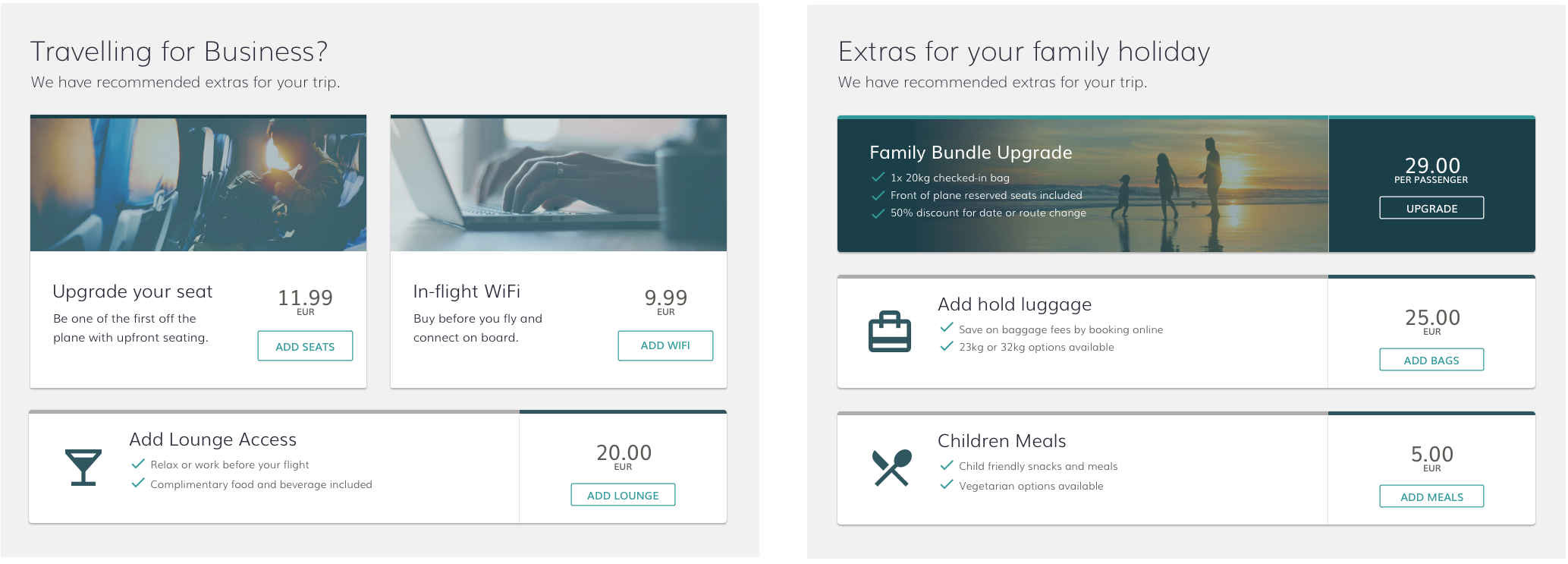
Example of layout variants for ‘Business Traveller’ & ‘Family’
Component placement in the booking experience
Dynamic layout can also automate where a component appears during the booking experience. Insurance, for example, is a high-margin product and can be prioritised for certain customer segments by placing it further up the list of extras, or even on a different screen during the booking flow. Placing insurance on the payments page might get more attention and convert better because the user’s mindset may have shifted from ‘building their trip’ to ‘securing their trip’.
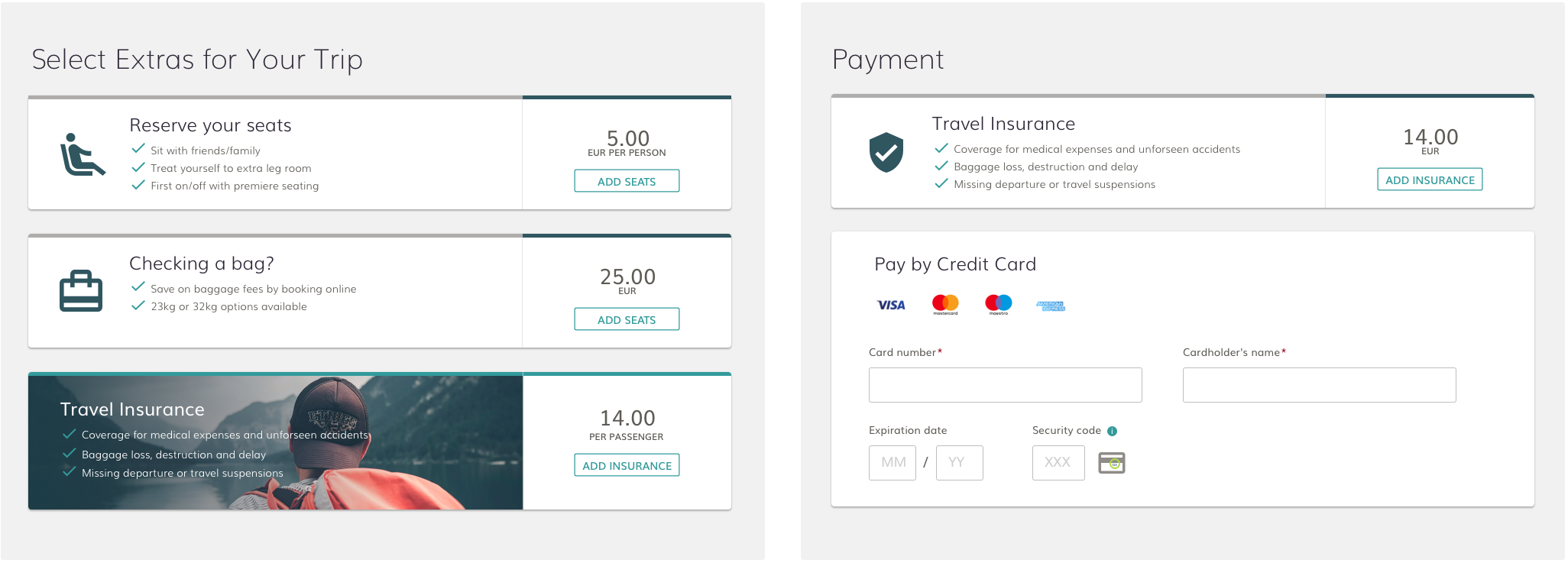
In the live environment, an airline can change where components are placed on the page. Or even where they are presented in the booking flow. Airlines can analyse the results to see if there are any material differences in conversion, up-sell and overall booking revenue.
Default component state and actual layout
Another consideration for airlines using dynamic layout is how to present a component to a certain user (e.g. Collapsed Vs Expanded). The idea is that the component’s actual layout or state changes to better match that user’s real-time attributes so as to increase conversion.
So, for example, it may make sense to automatically expand the payment option component to a payment option that the user has a high propensity to select. Or any product to which the airline would like to draw the user’s attention.
Device optimised layout
Today’s travellers are multi-channel and multi-device. Responsive design helps retailers ensure that screens and components can scale up or down to make best use of the available real estate.
Taking it a step further, adaptive design delivers truly unique experiences that are tailored for each device. Dynamic layout underpins an adaptive design implementation.
Airline merchandising on mobile is different from merchandising on desktop. A dynamic layout tool can automate how and when different components appear throughout the shop, search and buy process based on real-time data. Each component on a screen needs to be optimised so that the entire screen is optimised.
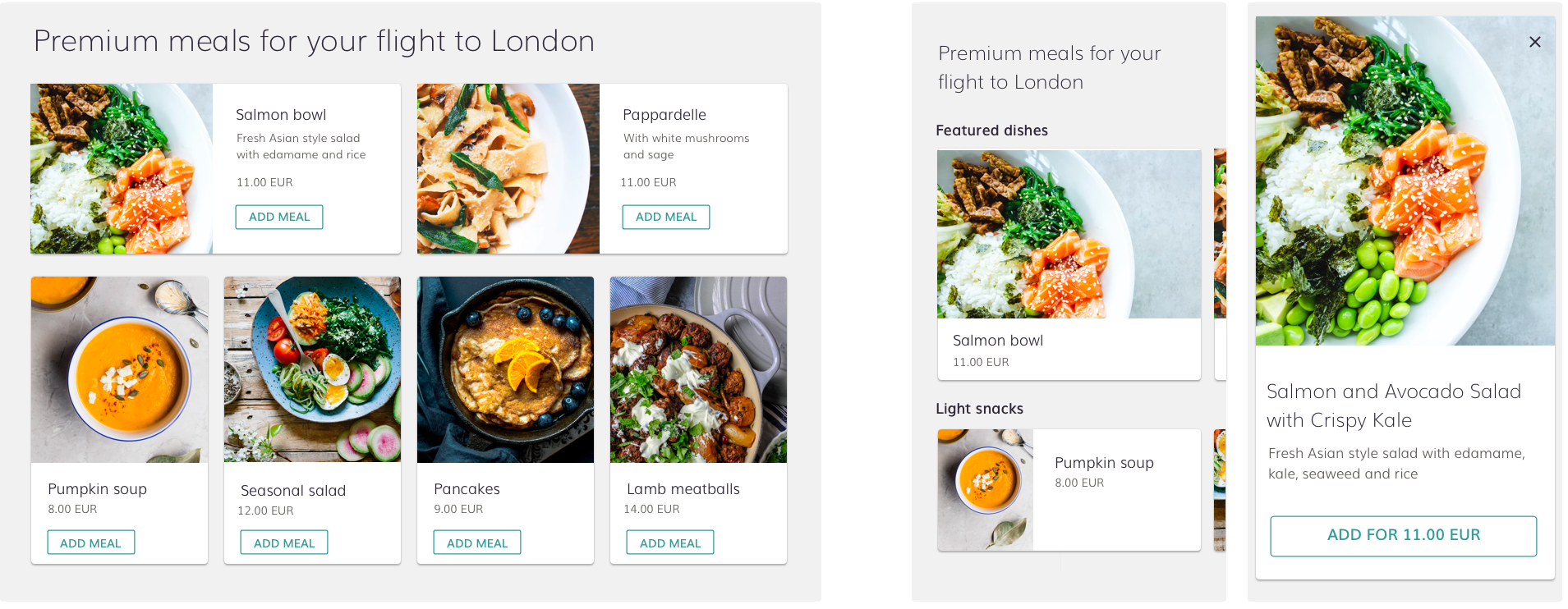
Industry adoption – an example from Skyscanner
Skyscanner shared an example of how it was able to improve the customer experience on its app by testing different dynamic layouts for its results page. Specifically, it looked at what was presented when a user searched for flights between a city pair with many options. Rather than list all the responses, ranked by price or departure time, it grouped them by airline, letting passengers see which airlines operated the route and changing the passenger mindset from price to convenience.
It tested the new layout in certain markets, saw its customer rating leap from 2.3 to 4.7 and rolled it out for searches where the volume of choice justified this new layout.
Challenges for airlines
Dynamic layout introduces such a wide range of possibilities but implementing them with existing technologies is not trivial. It, therefore, requires investment and prioritisation.
Airlines get stuck trying to decide what layout alternatives to experiment with, mainly because they don’t have good technologies to allow them to deploy, test and optimise many alternatives in a cost-efficient manner. This is particularly true when trying to define persona-based rules to drive the layout changes. This happens as it’s often very difficult to forecast if a given persona rule will result in real results.
One fundamental problem is access to data held within systems that may be controlled by other vendors. Open source and APIs are starting to become more common, but there are still many walled gardens within enterprise technology.
This imbalance is often compounded by airlines not having the internal expertise to manage dynamic layout initiatives. Outsourcing management and responsibility to an existing vendor can result in solidifying the status quo rather than welcome a new paradigm.
Takeaway
Personalisation, retailing and merchandising are established concepts in the wider e-commerce world and the airline industry is starting to take note. For some forward-thinking carriers, these ideas are becoming the basis of a successful distribution strategy.
Dynamic layout is the critical layer between the creation of the personalised offer and the conversion of the offer. By changing the layout of a page and the content shown, based on real-time interactions, travellers feel that the brand is engaging with them and have a higher propensity to convert.
For dynamic layout to truly succeed, data from internal and external systems needs to be accessible. Once all the connections are in place, airlines can start to test and learn. The improvement in conversion rates will follow.


